

Panasonic announced the Lumix S1RII in February 2025 as the successor to their flagship S1R. It provided numerous improvements over its predecessor, including a more compact form, similar to the S5-series, a 186g reduction in weight, and the addition of a more advanced phase-detect hybrid autofocus system with Advanced AI, compared to the contrast-detect focusing system of the S1R. But the big surprise was the sensor.
The new 44.3MP dual-gain sensor has slightly fewer megapixels than the 47.3MP sensor of the S1R. It’s not often manufacturers have the courage to be seen to go backwards….

Nevertheless, the S1RII was extremely well received, generating many glowing reviews soon after the launch event in Norway, where its ruggedness proved appropriate. Now, more than a year after it was introduced, the camera is appreciated and very well regarded by its long-term users. However, this cadre of S1RII devotees appears to be small, and to be limited to those already using other Lumix hybrid cameras.
“The excellent photo and video specs endear the S1RII to long-time LUMIX shooters, but it has the build, features, and price to appeal to sports and action photographers drawn to other systems”
The S1RII: Fewer pixels but…
The S1RII is positioned as the “ultimate full-frame hybrid”, designed to provide the best possible combination of features for photographers and video makers, and to encourage the mostly hybrid S5-series users to trade up.

However, it’s clear that the S1RII has the build and features to go after the sports and action photography crowd that tend to be drawn to the Canon/Nikon/Sony ecosystems; it provides a very similar feature set to the Nikon Z8, Canon R5, and Sony A7R V (though this Sony has a 61MP sensor), but at a more affordable price.
| Lumix S1RII | Canon R5 MkII | Nikon Z8 | Sony A7R Mk V | |
| Resolution(MP) | 44.3 | 45 | 45.7 | 61 |
| AF system | 779-point phase hybrid (AI) | 1,053-point dual-pixel AF (Deep Learning) | 493-point phase detect 3D tracking | 693-point fast hybrid (deep learning |
| Max burst rate | 40 fps RAW | 30 fps RAW | 20 fps RAW | 10 fps RAW |
| Stabilisation | Up to 8 stops | Up to 8.5 stops (with lens IS) | Up to 6 stops | UP to 8 stops |
| EVF resolution | 5.76M-dot OLED | 5.76M-dot | 3.69M-dot | 9.44M-dot OLED |
| MSRP | £2,699| €3,199 |$2,999 | £3,999 | €4,799 | $3,899 | £2,749 | 3,799 | $3,397 | £2,899 | €3,999 |$3,800 |
Note that US prices are before tax. Pound and euro prices include VAT (around 20 per cent, depending on country).
For stills, the S1RII captures high-quality, high-resolution 44.3 MP images with very fast rates of up to 40fps; combined with the dual-gain ISO architecture, the 44.3MP sensor can produce cleaner images at higher ISOs than those from a higher-resolution 60 MP sensor. In addition, for photographers desiring higher resolution images, the S1RII’s new sensor can capture 177MP files without needing a tripod.
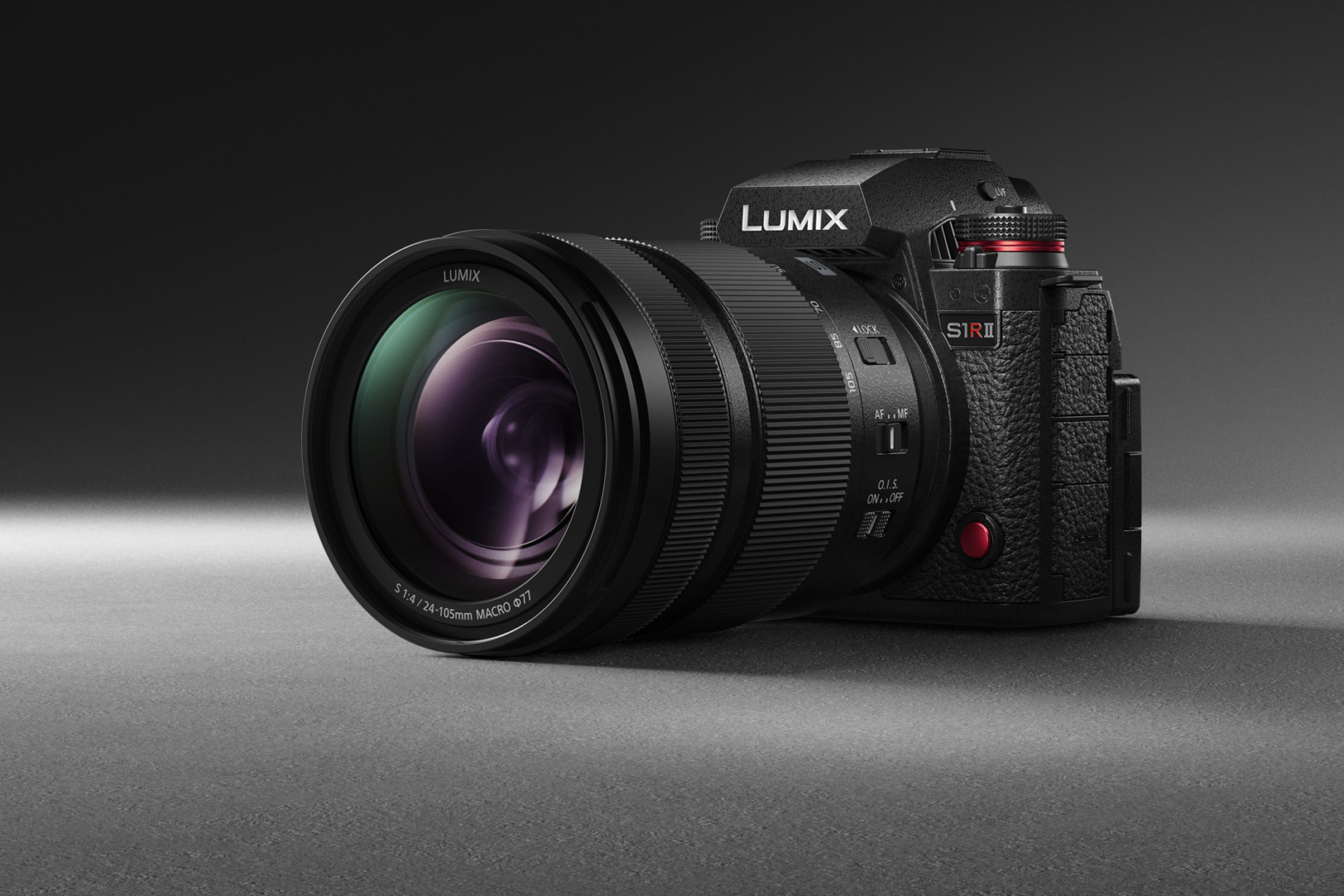
The S1RII also has more dedicated AF tracking modes, faster mechanical and electronic burst shooting modes (up to 40 fps) than the S1R, and improved 8-stop in-body stabilisation over the 5.5-6 stops of the S1R.
For video shooters, the S1RII features longer-form recording using 8K Open Gate, and Apple’s widely used ProRes and ProRes RAW video codecs, among others. Public sources point out that the 44.3 MP sensor is less prone to rolling shutter than a higher 60MP sensor would be.

The combination of excellent specs for both photography and video certainly endeared the S1RII to long-time hybrid shooters of Lumix cameras, and many online reviewers have also extolled its virtue as a more budget-friendly, highly capable alternative to Nikon, Canon, and Sony systems.
Longer reach than the “Fastest Leica Ever”
But for a long-time Leica photographer such as myself, who values simplicity of design and user interface, was there a place for the Lumix S1RII, especially after having shot to good effect (and much enjoyment) with the “fastest-ever Leica”, the SL3-S? I thought there could be room for the S1RII in my camera bag.
There have been many occasions when I had wished for a higher-megapixel sensor when aircraft or birds were further than normal, thus requiring significant cropping of the 24MP images of the SL3-S, and a resulting degradation in image sharpness and details.

I also believed that having a dedicated focus tracking modes for aeroplanes and a separate one for animals would provide faster and more accurate AF than the wildlife-only tracking mode that I used for birds in flight and fast jets on the SL3-S (and which worked very well, especially after the firmware. 4.0 update).
Finally, I thought that being able to shoot up to 40fps would be very helpful for many of the fast jet aerobatic manoeuvres I love to photograph. As the S1RII had these features, I rented one for a few days and then decided to go ahead and make the purchase.
The S1RII features
I was impressed with how compact the S1RII is compared to the SL3-S; the Leica is a few millimeters taller and wider than the Lumix, though the body is not as deep as the S1RII. The S1RII is about the same size as the S5-series of cameras, roughly 20% smaller, and, at 795g, over 20% lighter, than the original S1R.
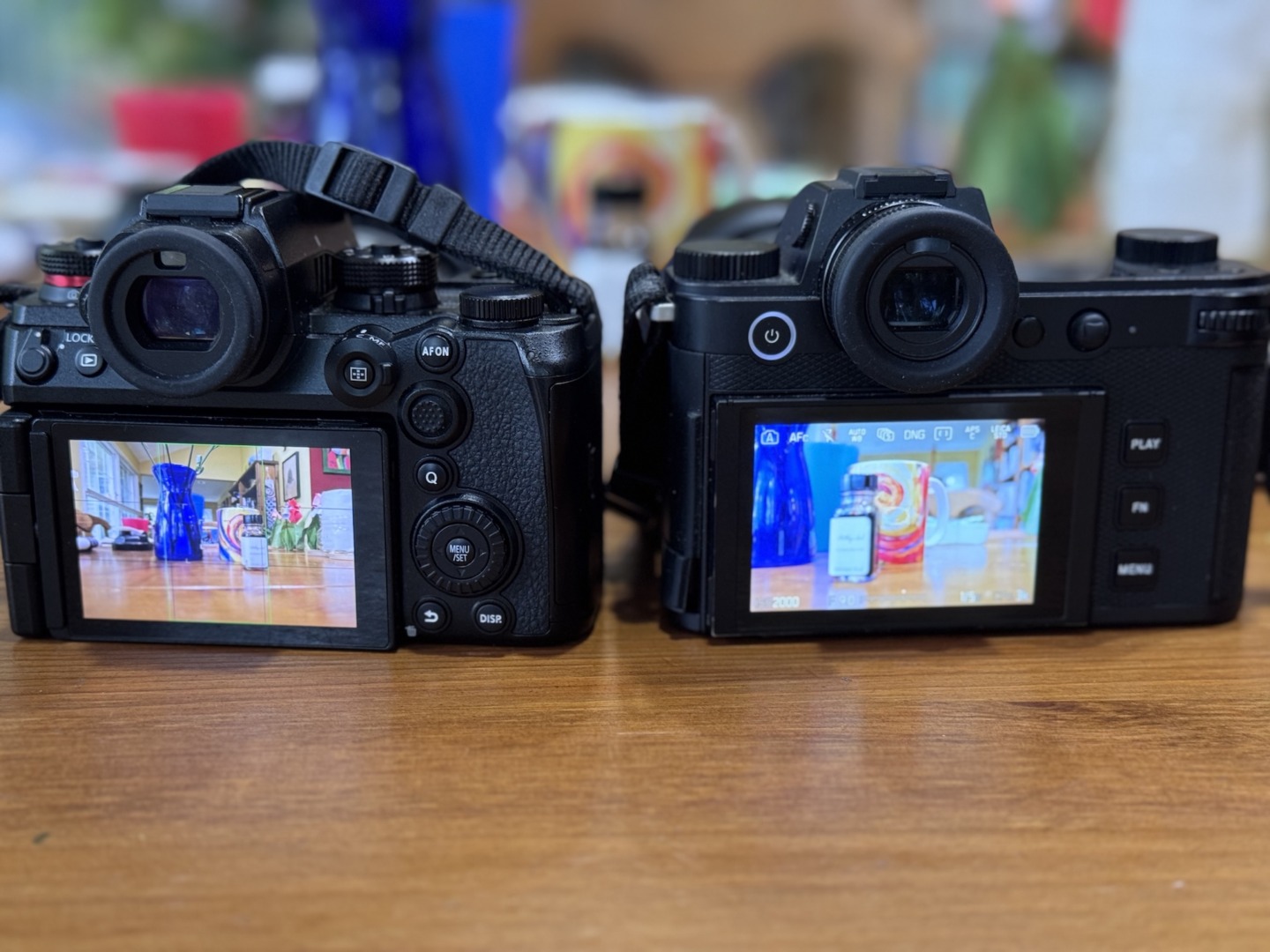
The S1RII feels very solid, and the body is made from a weather sealed magnesium alloy. Interestingly, it feels like the S1RII can take more abuse than the SL3-S, but I chalk this up to my own subjective reaction to the beefy, buttoned-festooned looks of the S1RII compared to the SL3’s more refined, minimalist body design (note the SL3-S is IP54-certified and the S1RII is not, so arguably the SL3-S would fare better in adverse conditions).
Controls and dials
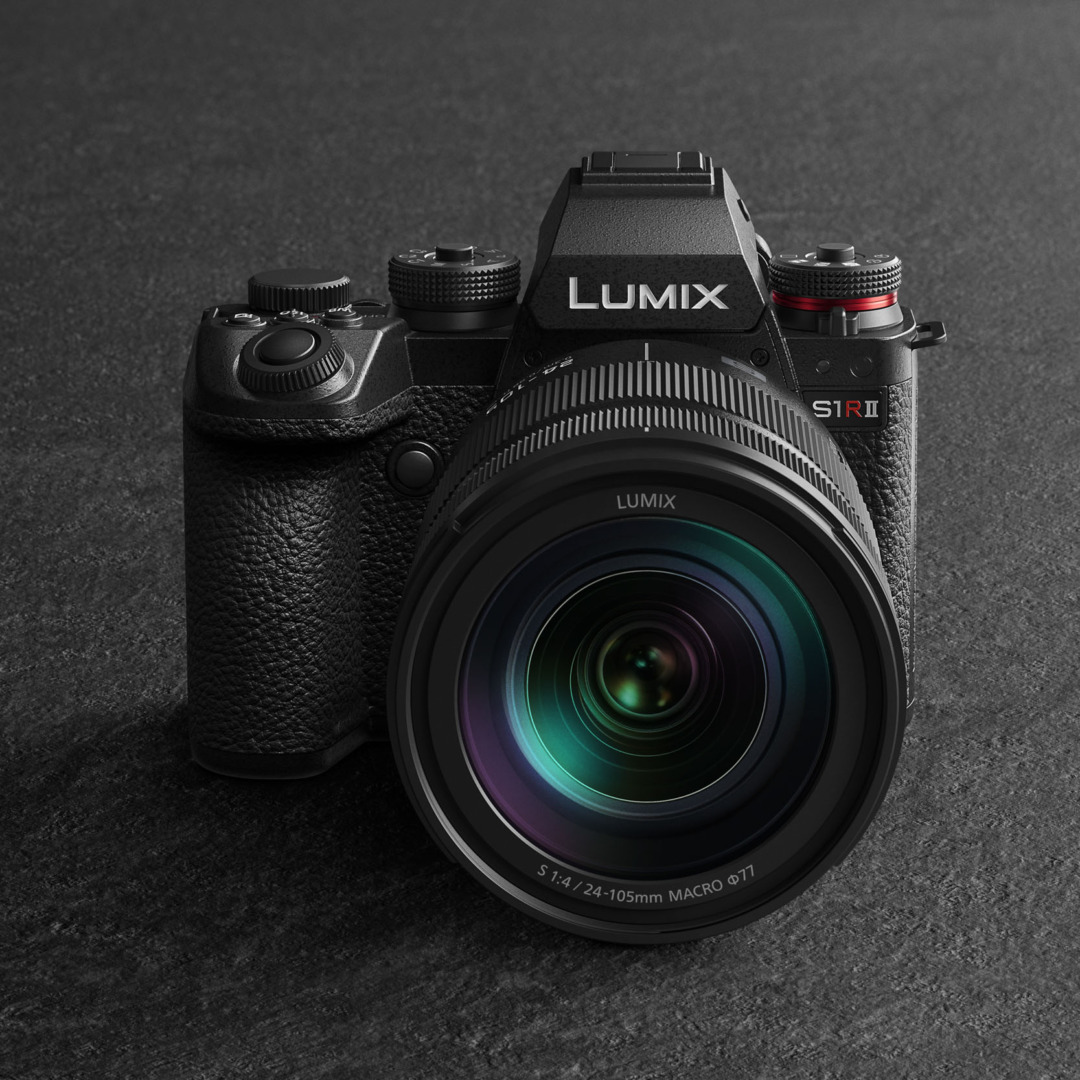
The S1RII has a very robust hand grip atop which sits the shutter release button, which is surrounded by a front control dial (which controls aperture, shutter speed, or ISO based on shooting mode or custom setting). Behind the shutter release are three dedicated buttons set at default (from left to right) for white balance, ISO, and exposure compensation toggle for the rear dial. The functions of these buttons can also be customised.
The S1RII controls are fairly similar to other mainstream competitors. On the right top plate is a standard PASM dial with a concentric power switch, which I found more intuitive to use than the power switch of the Leica SL3-S. To the right and the front of the top plate is a red button which is set to record video in default mode.
Behind this is the rear control dial, which can be used to control shutter speed, aperture, ISO, or exposure compensation depending on the shooting mode selected or as a custom feature. Given the smaller body compared to the S1R, the top LED display is no longer present on the S1RII.

The top left panel of the S1RII has a dual function mode dial. The top part of the dial selects the drive mode — single frame, burst shooting, pre-capture high-burst setting, the nine-shot high-resolution mode, and settings for bracketed exposures, timer, and interval settings. At the bottom of the left control dial is a concentric selector switch for still, video and slow and quick modes, which allow for slow- or fast-motion video capture. I really liked having the ability to select different drive modes quickly.
Rear and front controls
On the rear of the S1RII are various dedicated controls surrounding the LCD. At the left of the EVF is the lock-button, which allows the user to lock function buttons and dials to prevent inadvertently changing settings when the camera is held to the body or face when shooting (which happened to me on several occasions, especially related to changing focus tracking settings). Between the lock lever and EVF is the replay button.
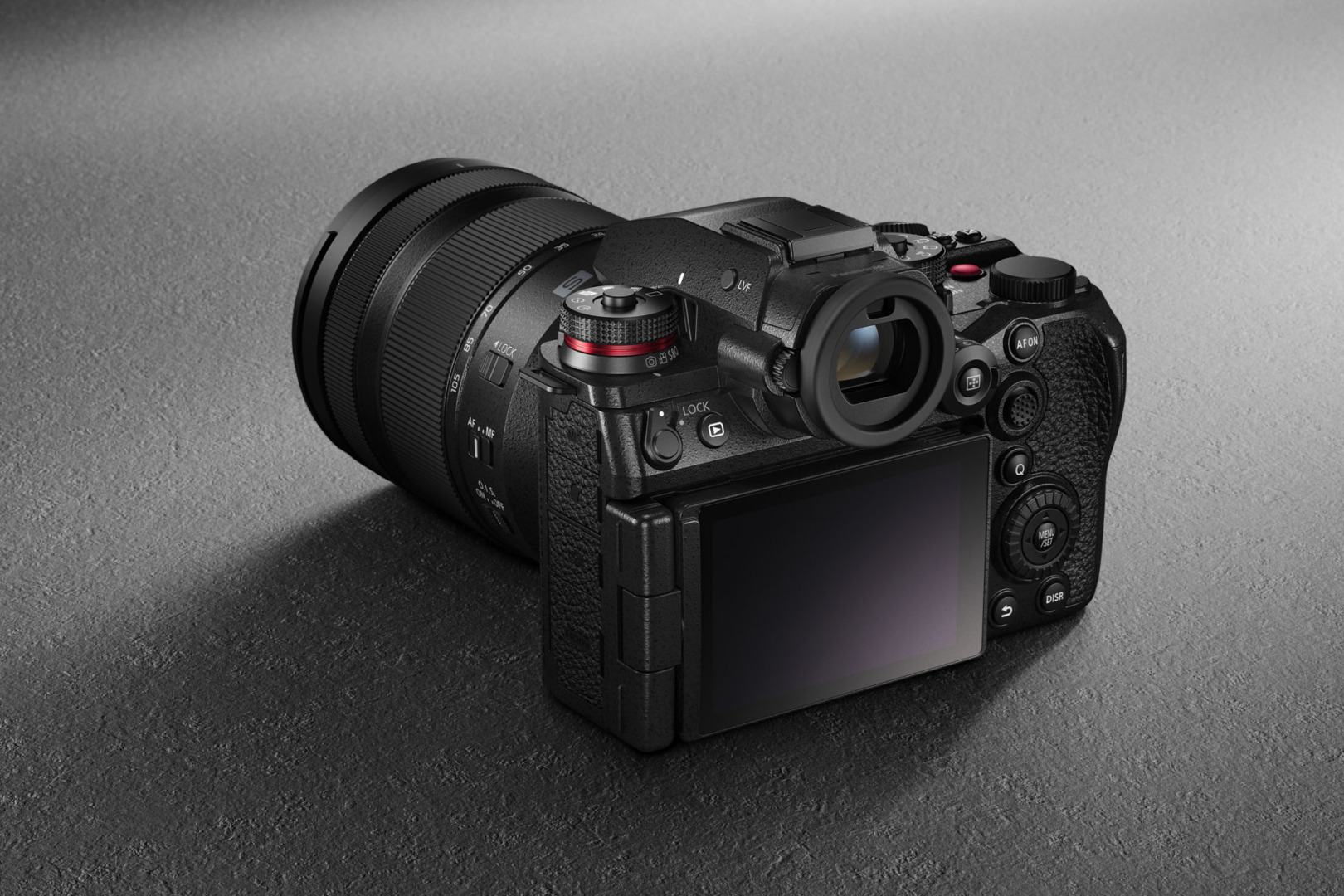
To the right of the EVF are multiple controls for focusing: a button to select autofocus modes (full area, tracking, or zone), around which is the selector dial for single, continuous or manual focus. To the right and above is a smaller button to select subject-detection mode (human, animal, car, motorcycle, train, and aeroplane); below this is a trackpad/selector button.

This is a similar layout to the S5-series of cameras. In fact, when I first saw this plethora of buttons, I was frankly intimidated, given the relative cleanness of the rear layout of the SL3-S. However, I did appreciate having dedicated buttons for focus and tracking modes, as well as for continuous and single focus.
To the right of the LCD is the Q menu button, which brings up a selection of favourites. Below this is the menu/select button, surrounded by a large control dial which can be used for setting ISO, exposure compensation or aperture. Below this are buttons for returning to the previous menu and for changing the display settings (EVF only, LCD only, key settings displayed on LCD).
On the front right of the camera body is another red button with a default setting of video recording. On many occasions, I found myself inadvertently pressing this button and taking random videos, so I reset it to a more innocuous false colour setting; the button can be configured for many other functions.
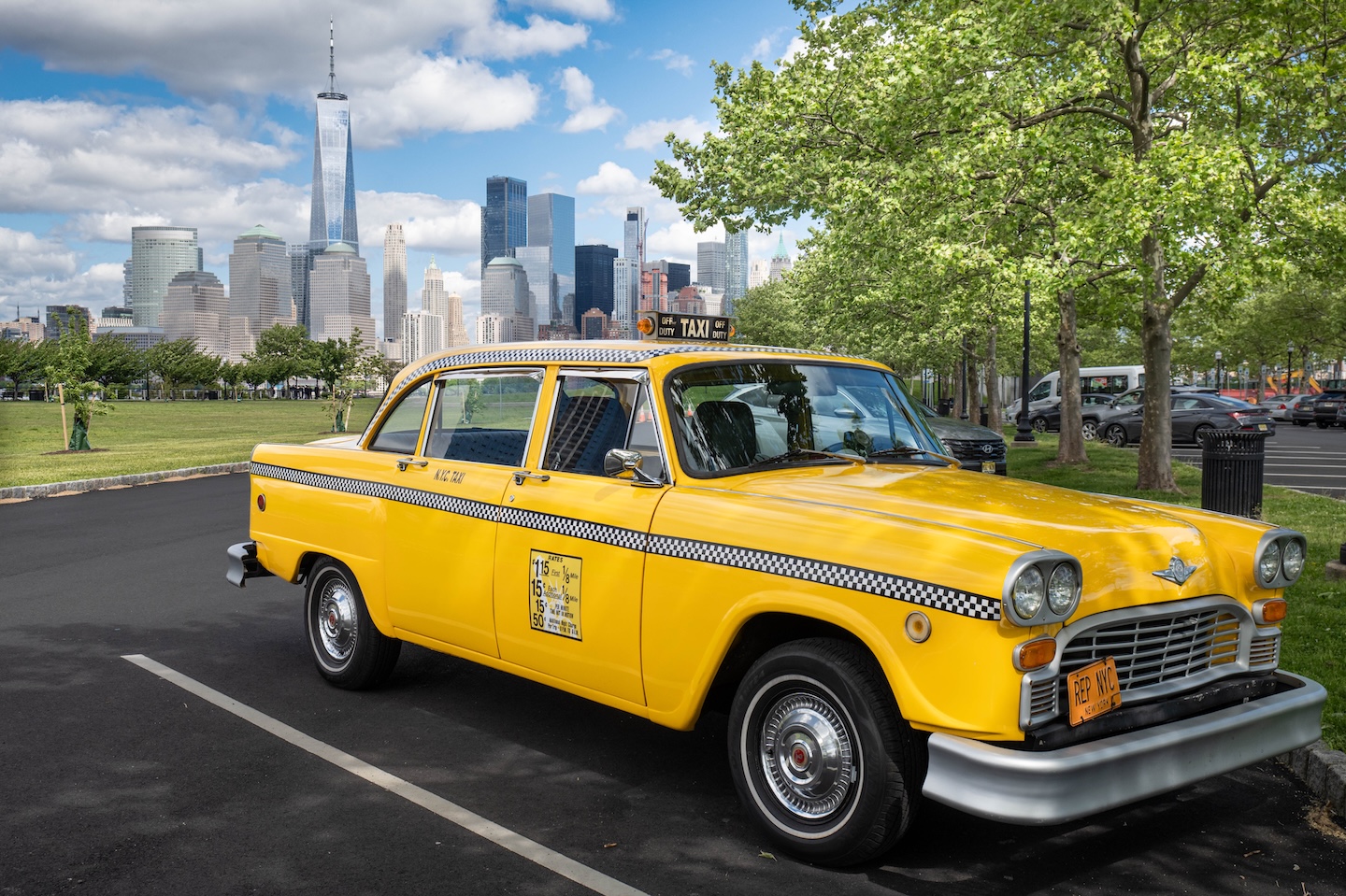
On the left, next to the hand grip, is another dedicated function button which can also be set to any number of functions. Similar to other manufacturers, on the S1RII you have to set up customised functions by going through several levels of the main menu, which can be cumbersome and frustrating.
Menu layout
The S1RII has the same tabbed menu structure as other Panasonic cameras, and is also similar to the layout on Fujifilm cameras.
- Tab 1: Settings related to image quality, autofocus modes and subject tracking, flash usage, as well as special settings like hybrid or cropped zoom, burst shot settings, image stabilisation and the shutter type.
- Tab 2: Selection of more customised focus and shutter settings, dial and button function assignments, separate monitor and display features for photo and video, input and output settings, and lens settings.
- Tab 3: Basic camera operations including setting up the clock and time zone, language, headphone volume, card formatting, wired and wireless connections.
- Tab 4: Customised menu options.
- Tab 5: Settings for playback and in-camera editing and processing.
The menu interface is certainly much more complex than the much-lauded Leica menu system, though the complexity can be alleviated by customising button and dial settings to suit your needs so you are not constantly diving into the menu folders. In addition, you can display main settings on the LCD and, with touch screen activated, can make changes to key settings right from the touch screen.

Displays
The S1RII rear LCD is a 3-inch, 1.84M dot device. It can be fully articulated for videography just like those on the Lumix S5-series cameras, but sits on a tilting cradle, which allows it to be used by stills photographers who prefer keeping the screen on-axis to the body. I really do appreciate the tilting screen feature on other cameras I use, so was glad to be able to have this feature on the S1RII as well.

The S1RII has a 5.76M dot OLED electronic viewfinder, similar to the Leicas SL3-S and other competitors. The display button toggles between a full screen of exposure and setting information on the top and bottom of the EVF frame, and a more minimal display of shutter speed, aperture, and exposure compensation on the bottom of the frame.
Storage options
On the left of the S1RII body are dedicated covers for, from top, the microphone port, earphone jack, USB-C cable for power or connecting to an external SSD drive (similar to other Lumix S and G-series cameras), and a full HDMI port. On the right-hand side of the body is the memory storage compartment, with slots for an ultra-high-speed SD card and a CF Express Type-B card.

Useful features for still photographers
The S1RII, like many other competitors, offers a high-resolution mode, but only a handful (including the SL3-S) allow the use of this mode without a tripod. The Lumix generates 177 MP images by shooting and combining in-camera nine consecutive images.
For me, this feature is a novelty, as I have no personal use for such large files. Nevertheless, I was intrigued to try it out, especially shooting handheld. For those photographers who require more than the native 44MP files of the S1RII, this is definitely an excellent feature to have, and I imagine landscape and cityscape photographers would find this very useful, especially in the absence of a tripod.
Another useful feature of the S1RII is the hybrid zoom mode, which is also available on other S-type and G-type Lumix cameras. This allows a zoom lens to be used seamlessly from its widest focal length to a digitally cropped 2X image at the long end of the zoom.
So, for instance, when using the Lumix S 20-60mm f/3.5-5.6 zoom lens, the effective range became 20-120mm. For this mode to be active, JPG or JPG+RAW must be set as the file format. RAW images still show the uncropped field of view. For those who shoot mostly in JPG, this is a very handy way to extend the reach of their lens in-camera.

The S1RII offers up to 8 stops of in-body stabilisation, putting it on par with the Canon R5 and Sony A7R V, and much better than the 6-stop IBIS of the Nikon Z8. This is great not only for low-light shooting, but furthermore, it is useful when using hand-held high-resolution mode, or when using relatively slower shutter speeds with long lenses to capture blurred propeller discs of piston-powered aircraft.
The sensor
The S1RII’s 44.3MP sensor features Panasonic’s “Dual Native ISO” function, essentially dual-gain ISO circuitry which allows the user to select at which higher ISO the high-gain function is activated. In default mode, the S1RII shifts to the higher gain circuitry at ISO 400, which means images captured at this ISO and higher tend to exhibit less noise than those shot at ISO 320.
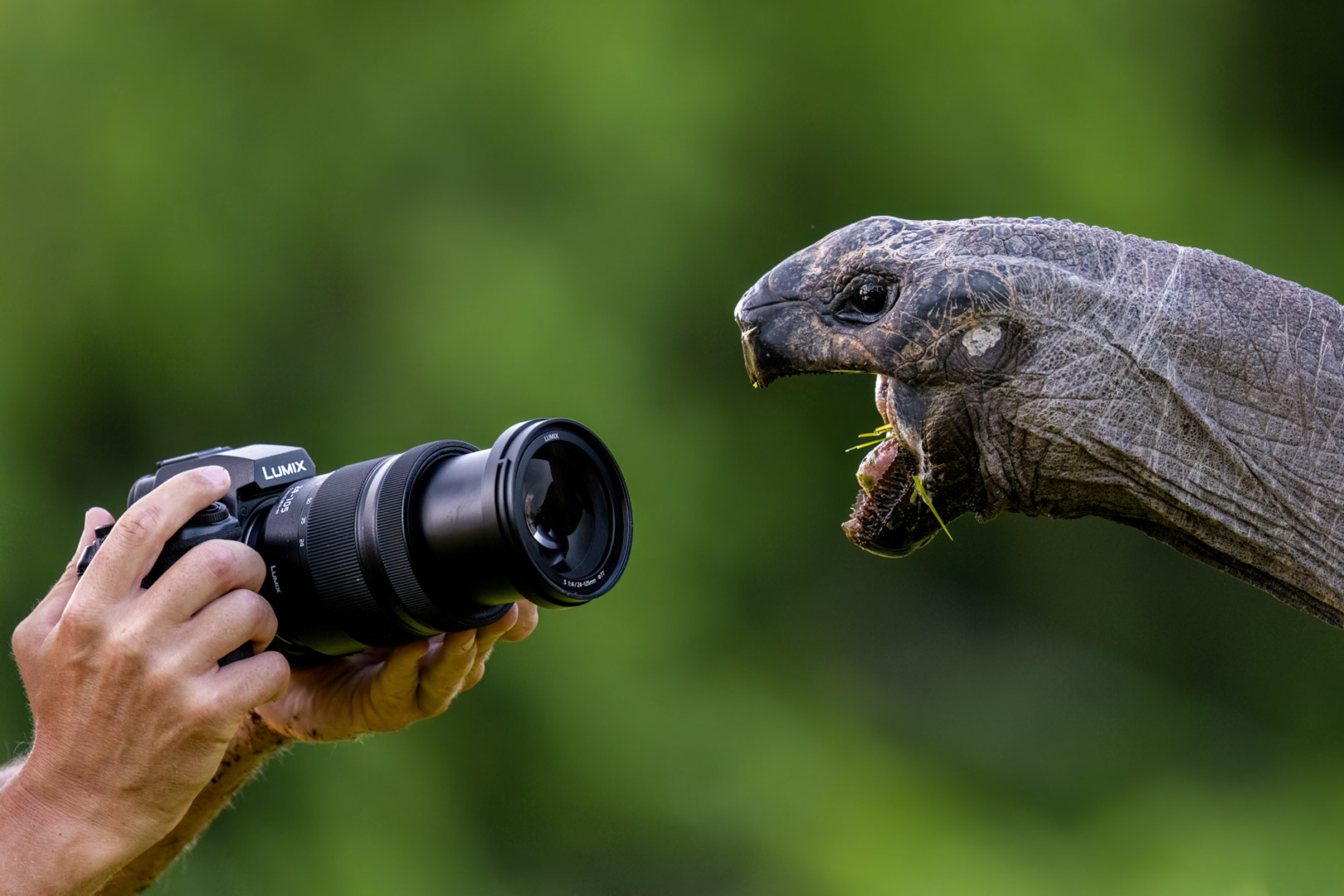
I had the opportunity to use the S1RII in fairly dimly lit conditions, and I was very impressed with how clean the images turned out. Shadow recovery in subjects that were backlit by early evening sky was also excellent. The S1RII has a standard ISO Range of 80-51,200, which can be extended to 40-102,400.
As mentioned earlier, many were surprised that Panasonic decided to launch the S1RII as a successor to the S1R with a 44.3MB rather than the 60MP sensor expected by many Lumix users, and slightly lower than the 47MP sensor than the original S1R.
Sources on the internet point out that 44MP is considered a “sweet spot” balancing relatively high resolution with higher processing speeds, which provide faster continuous burst rates than higher megapixel sensors like the 60MP in the Leica SL-3 or the Sony A7R V. Sensors with a more modest 44MP are also reported exhibiting less “rolling shutter” than the higher megapixel count sensors.
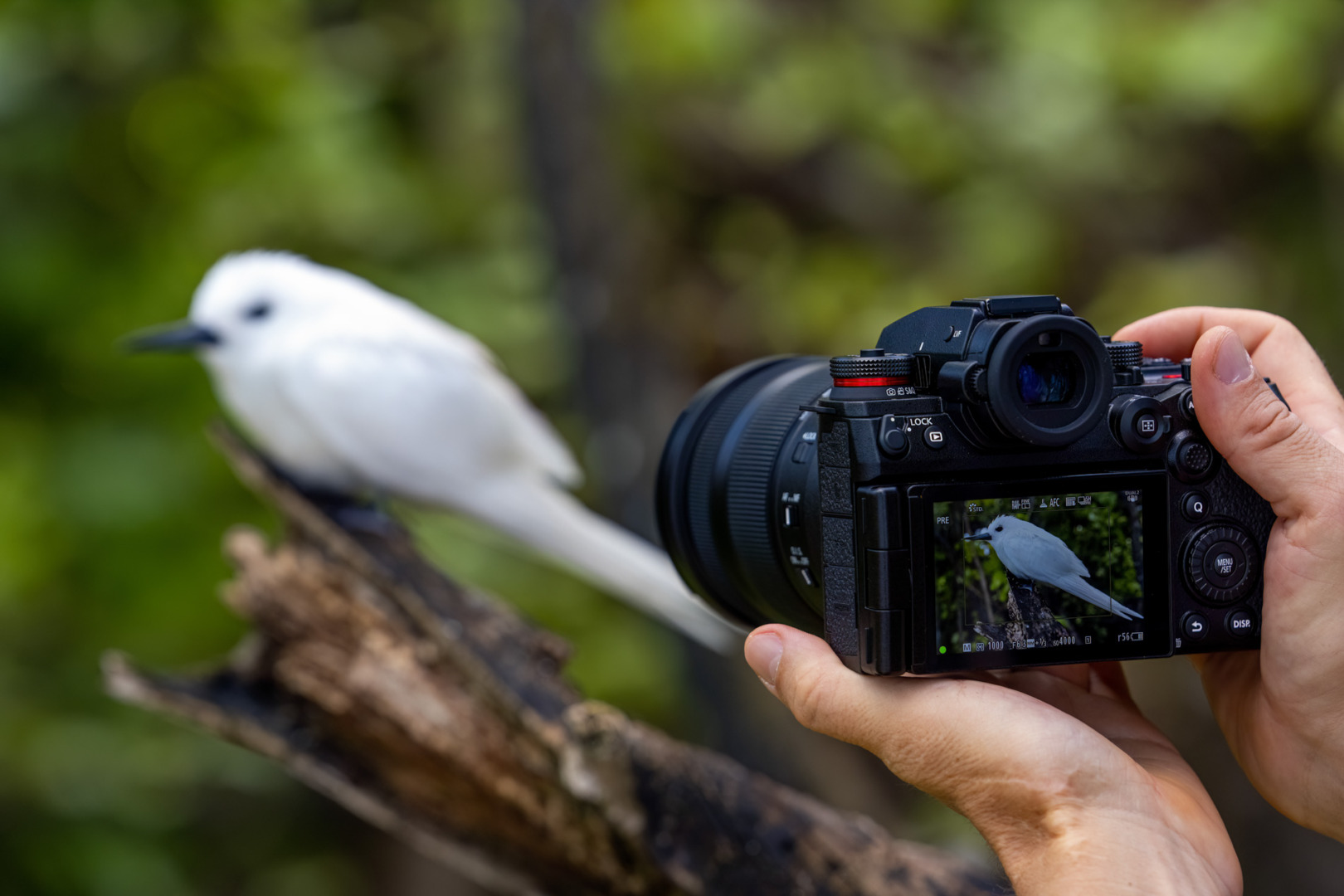
In addition, a 44MP sensor captures more light and has better signal-to-noise ratios than the 60MP and higher sensors, resulting in less noisy images in low light. For video shooters, 44MP is excellent for oversampling 8K video, producing ultra-sharp, artefact-free footage.
Having used the S1RII for several weeks now, I have confirmed that the 44.3MP images can be cropped more tightly for more distant subjects, whilst still retaining excellent detail, colours, and tonality. I have also appreciated the faster burst rate from the S1RII compared to the SL3-S, though admittedly, I rarely shoot beyond five frames per second on either camera.
Colour rendition, and highlight and shadow recovery in high contrast situations has been good with the S1RII, and I have been surprised by the superb output available even in low-light situations.
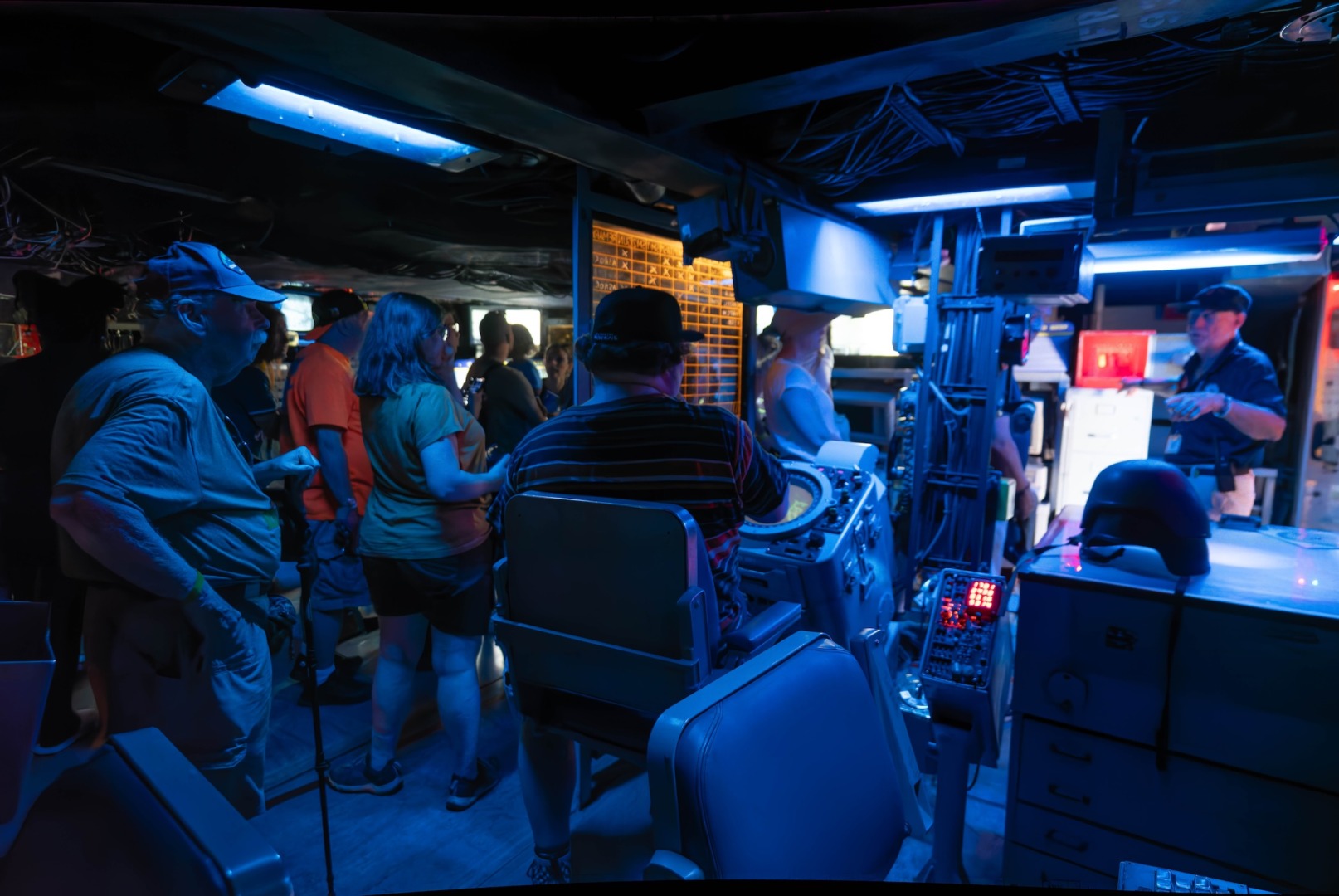
Out and about with the S1RII: handling
For my aviation and wildlife photography, I used the S1RII primarily with long telephoto zooms, such as the Sigma 150-600mm f/5-6.3 DG DN OS Sports and the Sigma 100-400MM f/5-6.3 DG DN OS Contemporary. The S1RII pairs very well with either of these zoom lenses, and the substantial grip and slightly smaller body size compared to the SL3-S make it excellent for photographing wild birds in flight and fast jets alike.

As I have used my SL3-S for general travel and documentation photography, I decided to use the S1RII in the same way, pairing it with the Panasonic Lumix S 20-60mm f/3.5-5.6 lens. What surprised me is that, despite its heft relative to an M or Q3, I still found the S1RII to be very responsive for street-type photography, and was able to whip it up to my eye rapidly when situations presented.
With the 20-60mm or the Sigma 45mm F2.8 DG DN Contemporary lens, the camera is great for all-day shooting in urban settings, covering events, or while travelling the countryside.

Despite my preference for the minimalist design of the SL3-S, I do like the S1RII’s multiple buttons and dials for drive modes and focusing for making changes on the fly with fast-moving subjects. However, before I learned to use the lock lever on the S1RII, I found myself accidentally changing focus settings when I moved finger positions as I tracked subjects. In some cases, I found I had missed focus on slower-moving jet formations because I inadvertently switched from aeroplane to human focus detection modes.
Focusing and the viewfinder
One of the other reasons I decided to buy the S1RII was because of the many more dedicated subject-tracking features available compared to the SL3-S. The SL3-S as of this writing has four main subject-tracking modes: Children/Pets, Team Sports, Runner, and Wildlife. For my aviation and bird photography, I find Wildlife to be the best tracking setting, with AF sensitivity, Field Movement, and Shift in Direction all set to the maximum of +2.
The S1RII provides six subject detection settings:
- Human (eye/face/body, eye and face only, and urban sports),
- Animal (body or eye/body),
- Car (Entire subject or Main part priority)
- Motorcycle/Bike (Entire subject or helmet priority),
- Train (first car or main part priority) and
- Aeroplane (Airframe or Nose Priority).
The S1RII also provides tracking, full frame, zone, and 1-area focus modes.
I was able to test both the dedicated aeroplane and animal detection settings using zone, full-frame and tracking modes. I found that the subject recognition on the S1RII in these dedicated settings was faster than the SL3-S, and that the Lumix retained focus more continuously than the Leica. The S1RII’s AF certainly inspires more confidence in more situations compared to the SL3-S, especially when shooting aircraft.

As for the viewfinder, despite having similar 5.76M-dot OLED finders, the view through the Lumix S1RII does not appear as bright and crisp as that of the SL3-S. In addition, the key exposure and setting information on the SL3-S automatically re-orients when the camera is moved from a horizontal to a vertical position, while on the S1RII, the settings stay fixed in the horizontal mode. I searched online for a solution to this, but there does not appear to be a way to re-orient the S1RII’s settings display when using the camera in portrait/vertical mode.
Battery performance
The S1RII uses the same DMW-BLK-22 battery as the S5II, which is smaller and has less capacity than the battery of the original S1R. The BLK-22 is rated for 350 shots when using the LCD and 280 with the viewfinder. In my experience, I have been able to shoot about 400 shots per charge.

To be on the safe side, when I am out shooting birds in the wild or at air shows, I take two extra batteries with me, and end up using two of them after about three to four hours of shooting. To help extend usage, Panasonic offers the DMW-BG2 battery grip, which holds one additional battery to power the S1RII before switching to the internal battery. The battery grip also provides additional controls for shooting vertically.
Eclipsed? Or an overlooked star?
Given that the Lumix S1RII has a very impressive feature set, and arguably provides more value for money than similarly spec-ed Canon, Nikon and Sony cameras, why has it not been widely accepted by more photographers?
Based on the online reviews and official marketing of Panasonic, the S1RII is positioned as the camera of choice for demanding hybrid shooters and creators who need the higher 44.3MP sensor and 8K open-gate recording.

But that is probably targeting a subset of the well-established base of satisfied Lumix S5-series hybrid shooters, who may not prioritise higher resolution images (especially if having one means spending more than double the cost of the S5II body).
What about potential buyers of the competitors used for wildlife, sports, racing and air show photography? Very few reviews ever talk about how well the S1RII does in these realms; if the plethora of online reviewers are to be believed, Canon, Nikon, and Sony are the only cameras to choose from.
While the stacked sensor cameras from Canon and Nikon may capture more consistently the razor-sharp bird and plane canopy close-ups beloved by social media algorithms, the S1RII is no slouch, and in my experience does an impressive job at getting the same excellent, sharp, high-resolution images, but at faster frame rates than the competition. In my view, Panasonic should feel confident targeting the S1RII more aggressively to would-be and current wildlife, sports, and action photographers.

Disappointed loyalists
What about those Lumix loyalists who were disappointed with the S1RII having “only” a 44.3MP instead of a 60MP sensor? Will there ever be a 60MP Lumix S-type camera to round out the Lumix full-frame line-up? Perhaps, but if fans really need a 60MP sensor, and wanted to remain in the L-mount ecosystem, then they would have purchased the Leica SL3 (though at a significant premium to their typical Lumix purchase).
It may very well be that in the broader L-Mount alliance, and within the specific Leica/Panasonic partnership, a conscious strategic decision has been made to segregate the customer segments based on price point and “luxury fittings”, roughly analogous to the way car manufacturers market the same vehicle platforms under different brands and features (for example, Toyota and Lexus, Volkswagen and Audi).

And so, it could be that the top-of-the-line Leica SL body is the only L-mount full frame camera that will sport the highest-resolution sensors in the Leica/Panasonic partnership, while the Lumix S-series flagship features a slightly lower-megapixel, but more versatile hybrid sensor.
That said, Leica may very well add a similar “sweet spot sensor camera” to its SL3 line-up, though if it doesn’t, the Lumix S1RII can confidently take this position for the foreseeable future.
Conclusion
The S1RII has been a revelation for me. With its higher-resolution sensor and better AF recognition and tracking than the SL3-S, great colour output, and slightly smaller and lighter body, the S1RII is my camera of choice for more challenging aviation and wildlife subjects, especially when I am out on all-day shoots. Since it makes for a great all-around camera as well, I foresee taking the relatively lower-priced S1RII to dodgier travel destinations, where there is a higher risk of theft, damage, or loss.

Regardless, for most shooting situations, I will not feel like I am compromising image quality when I decide to use the S1RII in lieu of (or together with) the SL3-S.
As a longtime Leica user and a devotee of the SL3-S, with a pretty good investment in L-mount lenses, there is no question in my mind that the Lumix S1RII makes an excellent, complementary second body for Leica SL owners.
Make a donation to help with our running costs
Did you know that Macfilos is run by five photography enthusiasts based in the UK, USA and Europe? We cover all the substantial costs of running the site, and we do not carry advertising because it spoils readers’ enjoyment. Any amount, however small, will be appreciated, and we will write to acknowledge your generosity.
Hi Ed
Thanks for such a nice review, and images that show a broad range of the cameras capabilities.
I recently added an S1RII to supplement my SL2. And as you mentioned in your SL3-S article, I noticed that colors seem a bit gritty as well. Which brings me to a question for you. What has your experience been with recording highlights and recovering shadows with the new camera? My early impressions are; highlights seem to need less underexposure, and I need more experience working with shadows.
Thanks again, for the excellent images and introduction.
PaulB
Paul, Ed is currently on vacation, but he might pick this up before he returns. — Mike
Hey Paul, apologies for the delay in my response; as Mike said, I am traveling. Overall, I agree with you. When faced with high-contrast situations such as heavily backlit subjects, I have been surprised by how much detail I can still recover from the highlights in Lightroom. Shadow detail recovery with the S1RII has been more of a mixed bag. I have shot images of people against an a cloudy sunset sky and was able to recover shadow detail with a lot more quality and good color than I would have expected from the higher-MP sensor. On the other hand, when trying to recover detail from photos of backlit aircraft against bright overcast (which are more than 1.5 to 2 stops underexposed), I’ve generally found contrast and colors have suffered when I try to recover shadow details, even after first cleaning the files in DXO Pure RAW before developing in Lightroom. Regardless, the images are still pretty remarkable and in most shooting situations I have found it holds up well vs. photos I’ve taken with the SL3-S. Enjoy shooting with your S1RII!
Very nice review. I have nearly pulled the trigger on this camera a few times. I think Panasonic makes fabulous cameras that are not given enough credit for still photography. For some reason, the pundits out there can’t let go of their idea that Panasonic is a video company.
A few things hold me back from buying the S1RII. My main use would be for my legacy SLR lenses and perhaps occasionally my M-mount lenses. I already own a Fujifilm system for tasks my M11 or Q3 can’t handle. (Keith is currently editing my article for Macfilos about this) So I’m not looking for a full frame system per se.
A used SL2 might serve me better. I can share batteries and a similar menu system with my other Leica gear. Then I’d fewer different systems to learn and navigate. I owned an S5IIx for a while for M-mount and legacy SLR lenses but sold it after getting an M11, which for me, is the best platform for M-mount lenses. I found that I rarely used the S5IIx as a regular camera. Though I really did like their 20-60mm and 50mm f1.8 lenses. But I favor my Fuji kit for non-rangefinder work.
The S1RII has a thicker sensor stack (2.4mm vs 2.2mm) than the S5II(x) which did pretty well with M-mount lenses (I wrote an article about the S5II and M-mount lenses for Macfilos last year.) I am curious to find out if the S1RII will perform adequately in this regard. I don’t think the thicker sensor stack would be a deal breaker for me. Leica will no doubt make a thinner stack for their version of it for the SL-3P.
Thanks for a thorough and informative review!
Cheers, Joel
Joel- thanks for your comments. I appreciate your perspective, and do agree that if minimizing your system choices (including battery types) is key, then a used SL2 might be the ticket. I have yet to use the S1RII with M lenses (or my other legacy film lenses), your comments have made me curious and I can let you know more. BTW, I liked your article on the S5 II X and M-lenses, I remember reading it last year. Thanks again! Ed
Thanks Ed. Yes, please do keep me posted on your results and thoughts about using M lenses on the S1RII.
Cheers,
Joel
Will do!
Fabulous review Ed, thanks for sharing.
Nicely comprehensive and coupled with some fabulous images which I enjoyed looking at very much. I also learned something today about a new camera I’d have otherwise glanced over.
The technology is a little late coming but it’s here now and looks like Panasonic have done a great job. Shame Leica couldn’t have done something like this with the SL3 which personally I’ve always considered too little too late.
Röd – thanks, appreciate your comments. I agree the S1RII’s impressive feature set came a little later than the competitors, especially with regards to much better AF capability sought after by wildlife and action photographers. That said, with its very competitive price point, though, I believe it provides a great alternative for photographers who need an all-around professional level camera, including those who shoot a lot of action, sports and wildlife photography. Tyler Stalman’s YouTube review at the end of this article makes a very compelling cost comparison for the S1RII, with no compromise on image quality and performance.
Fascinating review. Does anyone these days make a camera (Leica M range apart)without video and sound ports? Surely this would be simpler and cheaper
I am still interested in “pure” photography and even contemplating going back to analogue
Oddly enough, I was thinking this myself only last night. As video capabilities increase, the cameras need to incorporate extra heat dissipation among other aspects. I
was thinking particularly of the L10 which I am reviewing at the moment. It is bigger than the D-Lux 8 because more space is needed to cope with increasing processing demands.
I am all for video-less cameras, with less demanding electronics and simpler menus. But the manufacturers must think no one would buy them.
You lads should look into a Hasselblad X2D II! Macfilos posted a great review a few months ago… Cheers, Keith
Keith – I have intentionally been avoiding going down the Hasselblad rabbit hole, now you’re making me curious again!
I agree with Jonathan, as an exclusive stills shooter, I wish I could find a simple stills-focused camera as well. Leica seems to be the best placed to develop this, so if they introduced a Q3 43-type camera that was 15% smaller all around, with no extraneous video functions, I would buy that camera in a heartbeat.
And, Keith, don’t overlook our new BFFs over at Fujifilm. The GFX medium-format cameras are much cheaper than Hasselblad and probably produce the same results. Discuss.
Written by whom, may I ask?
Compliment and appreciation for this interesting and entertaining piece on the Panasonic Lumix S1RII.
I had never really looked into cameras from this manufacturer—partly because the design doesn’t appeal to me, and partly because the Leica Q series led me to the Leica SL3 (sharing batteries, chargers, and similar menu structures, and avoiding a clutter of control buttons), which also appeals to me aesthetically.
I found the content of this article very informative and engaging; I learned a lot about the camera and now view it in a new light—after all, it’s what’s on the inside that counts. Thank you for this.
That said, I am unlikely to buy this camera; the number of photos I take with the SL3 is relatively small compared to those taken with the Q3’s and, more recently, the M-EV1 which has been making an amazing comeback in my camera bags over the past few weeks.
Thank you Olaf. For the last decade or so I have focused primarily on street and everyday documentary photography, using various iterations of the Q, the M (film and digital), and the CL/TL series. For all around photography, I still prefer compact bodies with simple controls. It’s only when I retired last year that I decided to get into aviation and wildlife photography more seriously, and since I had gotten so used to the clean user interface, simple design, and robust build of the Leicas, I decided to purchase an SL3-S for this type of photography. It has proven to be a very capable camera for these subject, and makes a great travel camera as well. I added the S1RII for more challenging situation, as I mentioned in the article.
I have to admit I am constantly debating whether I should sell my M10-P and purchase an M-EV1, but I still like keeping my rangefinder/zone focus skills current. When I’d rather shoot with an EVF, my Q3 43 provides the flexibility of AF or manual focus that I like. I am spoilt for choice!
Dear Ed, please don’t get me wrong: the Leica SL3 is a wonderful camera that I really enjoy shooting with. The combination with Sigma’s fast “Art” series lenses, in particular, yields fantastic results. Last weekend, I was at the Nürburgring with the Leica Akademie, photographing the Classic Days. The camera delivered—and not just in terms of image quality; its ergonomics make it a pleasure to handle it. And there’s its ruggedness in bad weather. There are photographic challenges where this type of camera—and autofocus—are indispensable.
But at the end of a long day of shooting, you certainly feel the weight in your camera bag or backpack. That is precisely why I find the M-EV1 so exciting and why it has made a surprising and incredible comeback for me (I’ll definitely be writing a post about that soon). It’s a lovely, compact system for a wide range of photographic situations, and the digital viewfinder allows a precise, reliable focusing.
The S1R II is an outstanding camera. I can attest to its fast action capability. I agree that Lumix should lean more into this. I take mine to my kids soccer games paired with the Lumix S 70-300 and it performs splendidly. The S1R II really does deserve more recognition. Though with the fast paced world of camera reviews and the next best thing that might not be a thing. I believe when the Leica SL3-P releases we are going to see a lot of references to the S1R II.
Hassan – fully agree with you. How do you find the 70-300?
I don’t have enough experience with it to give a thorough opinion. But, from my uses so far, simply a great company for the S1R II.
Thanks for a fine and fair review, Ed, plus some terrific photos!
Thank you, Arthur!
Ed, welcome to our team of reviewers. You’ve hit the ground running, undoubtedly. I’ve said this to you, but I think it deserves saying in public. This review is really excellent, and your pictures are magnificent — particularly the diving red-tailed hawk. Considering you have not tackled a comprehensive camera or lens review before, your finished article is all the more surprising and deserving of praise. The Macfilos team hopes you will have the enthusiasm to do more test as well as general-purpose features.
— Mike
I agree. Excellent, excellent review.
Mike – thank you, it has been a pretty interesting few weeks working with you and the rest of the Macfilos team! I really appreciate the opportunity to help out and contribute where I can. I appreciate all the positive feedback.