
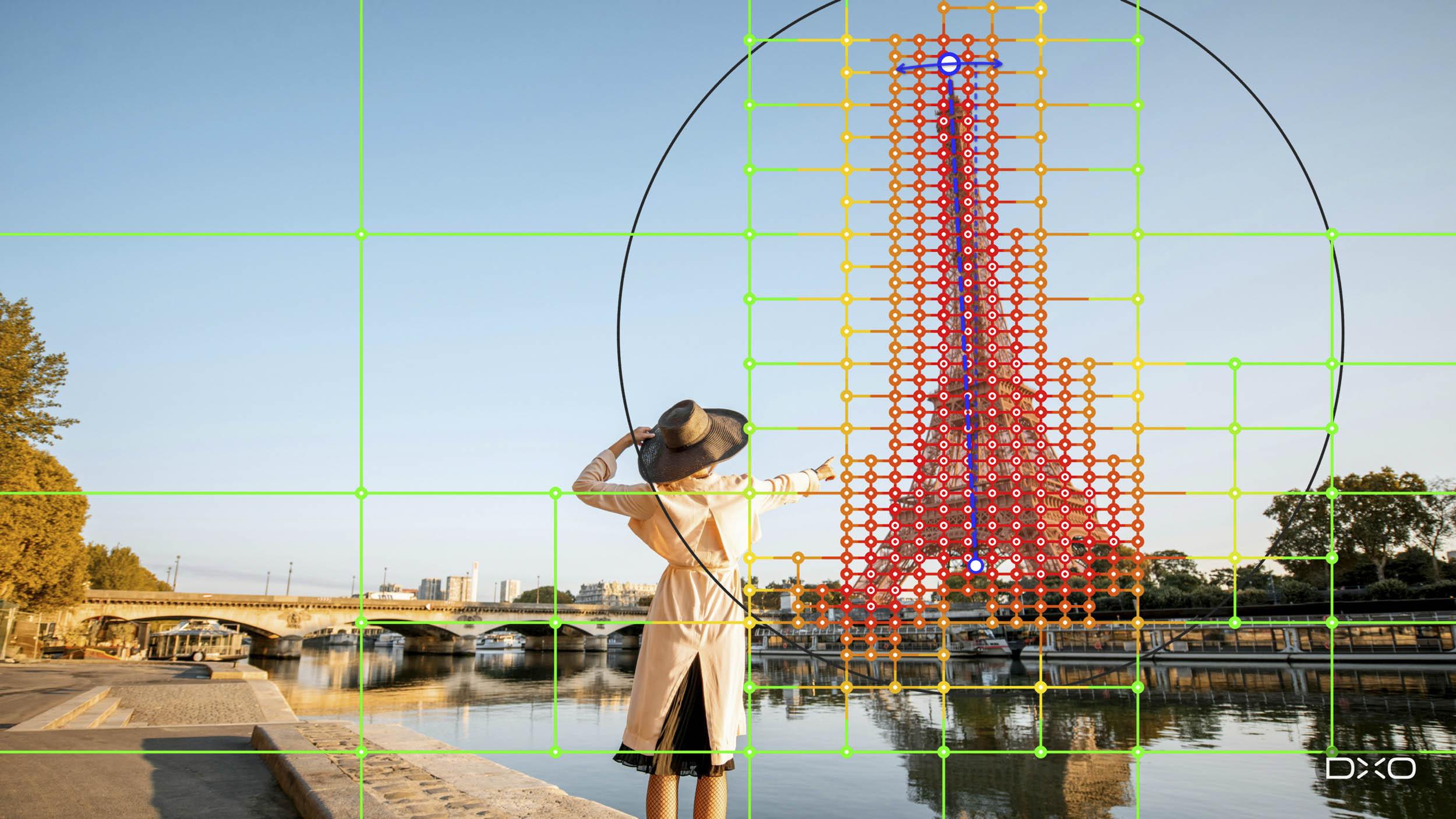
DxO has announced ViewPoint 6, the latest version of its software for correcting geometry, perspective, and distortion. The main addition is AI masking inside ReShape Fusion, the tool that arrived with version 5 for reshaping parts of a picture from within the frame. The company is keen to stress that nothing is generated. Every pixel in the corrected image, it says, was there when the shutter fired. So what, exactly, do the masks bring to the party . . .
The old trade-off
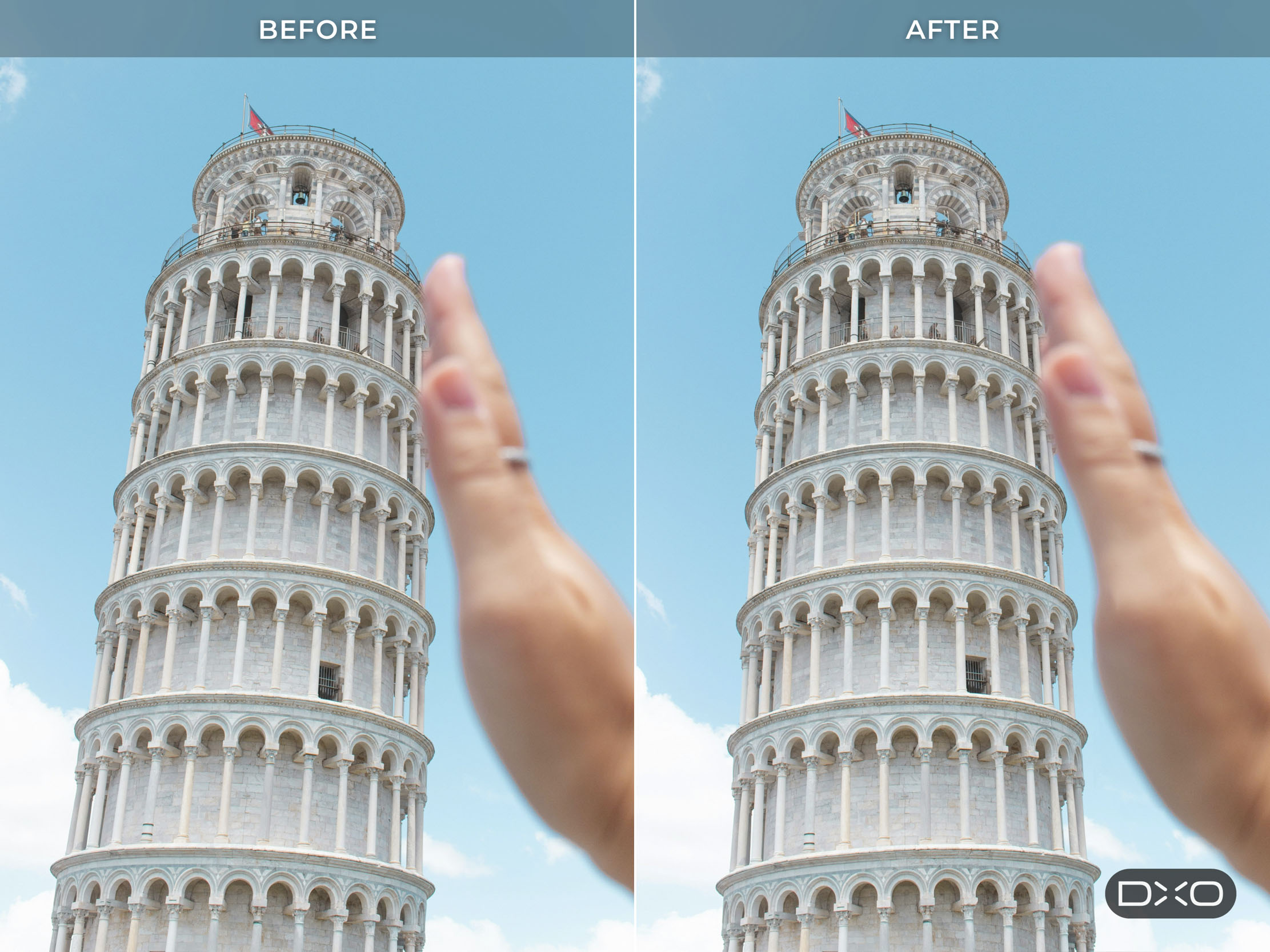
Anyone who has straightened converging verticals knows the price. Conventional perspective tools work on the whole image, so correcting a leaning building tilts the entire picture plane. The rectangle becomes a trapezoid, and the only way back to a rectangle is to crop. The stronger the correction, the more of the frame goes with it.
DxO argues that many geometry faults are local. One building may lean while everything around it stands upright. A face at the end of a group shot may be stretched, or a subject may simply sit out of proportion with the rest of the scene.
Jean-Marc Alexia, DxO’s VP of product strategy, says photographers have long accepted that straightening the geometry can cost them part of the frame. With AI masks in ReShape Fusion, he explains, they can now define the element they want to work on, refine the mesh where greater precision is needed and control how the correction blends into the surrounding image.

How it works
It all starts with a rectangle. The photographer draws one around the subject, and ViewPoint identifies the element inside it and builds a mask that follows its outline. The correction mesh is then shaped to that outline, so the control points sit on the subject itself rather than on a uniform grid laid across the whole picture.

Mesh density varies across the image, coarse where nothing needs to change and fine where the work is. Regions can be subdivided for finer adjustment or merged where the detail isn’t needed, and individual control points can be switched on or off. The photographer also decides how far a change reaches into the rest of the picture, which matters because reshaping one element always pulls at whatever sits beside it.
DxO says the AI is there only to make the selection precise. The corrections themselves stay in the photographer’s hands. ViewPoint invents no pixels, fills nothing in at the edges and leaves the dimensions of the frame unchanged.

Familiar problems
Beyond ReShape Fusion, ViewPoint 6 continues to tackle the three faults that show up most with wide-angle lenses: barrel distortion, converging verticals and the volume deformation that makes people at the ends of a group look wider than those in the middle. Distortion correction relies on DxO’s Modules, built from laboratory measurement of thousands of camera and lens combinations. Automatic and manual perspective tools remain for full-frame corrections. Horizon correction and the Miniature Effect complete the set.

The company also points out that geometry isn’t purely an architectural concern. Interiors, travel, street, and portrait work all produce images that need structural adjustment, at any focal length.

RAW editing
The standalone application now opens RAW files directly, alongside TIFF and JPEG, with no pre-conversion. RAW files are rendered in DxO Wide Gamut with DxO’s own camera profile. ViewPoint then reads the embedded metadata to download and apply the matching Camera-Matching Profile, correcting distortion automatically.
Two new controls prepare the image before any geometry work begins. Exposure compensation runs from −4 to +4 EV for every format. For RAW files, white balance offers presets, Temperature and Tint sliders and an eyedropper; JPEG and TIFF files get a single slider and the same eyedropper.
Editing is non-destructive throughout. Corrections are stored in a sidecar file beside the image, and DxO keeps these deliberately separate from PhotoLab’s own sidecars so that neither application can interfere with the other. Finished images export as 8-bit or 16-bit TIFF, or as JPEG.

Price and availability
ViewPoint 6 runs as a standalone application and as a plug-in for Lightroom Classic, Photoshop, and Capture One. Owners of DxO PhotoLab 10 will find its tools integrated into PhotoLab’s Geometry palette.
The software is available now for macOS and Windows from the DxO website. A new licence costs £109.99 |$129.99 | €119.99, and an upgrade from ViewPoint 5 costs £69.99 | $84.99 | €74.99. DxO also offers a 30-day free trial.
I haven’t yet tried the new masks, so I can’t say how well the automatic selection copes with a cluttered scene. On paper, though, local correction without the crop addresses a frustration familiar to anyone who has watched the edges of a carefully composed frame disappear. It’s a claim I would like to put to the test.
Further reading
| Macfilos Articles | Other Links |
|---|---|
| DxO PhotoLab 10.1 adds one-click export to Affinity – The latest update to the host application for ViewPoint’s Geometry tools | DxO ViewPoint – DxO’s product page, with feature details and purchase options |
| DxO PhotoLab on Macfilos – Our coverage of DxO’s flagship RAW editor | ViewPoint free trial – Download the 30-day trial for macOS or Windows |
| Nik Collection on Macfilos – More on DxO’s suite of creative plug-ins | DxO ViewPoint 5: ReShape Fusion – ProVideo Coalition on the tool’s first appearance in version 5 |
Make a donation to help with our running costs
Did you know that Macfilos is run by six photography enthusiasts based in the UK, USA and Europe? We cover all the substantial costs of running the site, and we do not carry advertising because it spoils readers’ enjoyment. Any amount, however small, will be appreciated, and we will write to acknowledge your generosity.